Science data comes in tables and tensors

CTO & Co-founder

Staff Engineer
Today we are adding support for Apache Iceberg tables to Arraylake.
Iceberg namespaces and tables now reside alongside your Icechunk repositories in the same catalog. They share the same organizational structure, authentication, permission model, and underlying cloud storage.
These tables are accessible via a standard Iceberg REST catalog, enabling direct read and write operations from DuckDB, Spark, Polars, Pandas, PyIceberg, Trino, and Snowflake without requiring any Earthmover-specific connectors. This capability is currently in public beta and available to every organization, including those on our free Community Tier.
The Dual Nature of Scientific Data
Scientific data is typically represented in two primary data models.
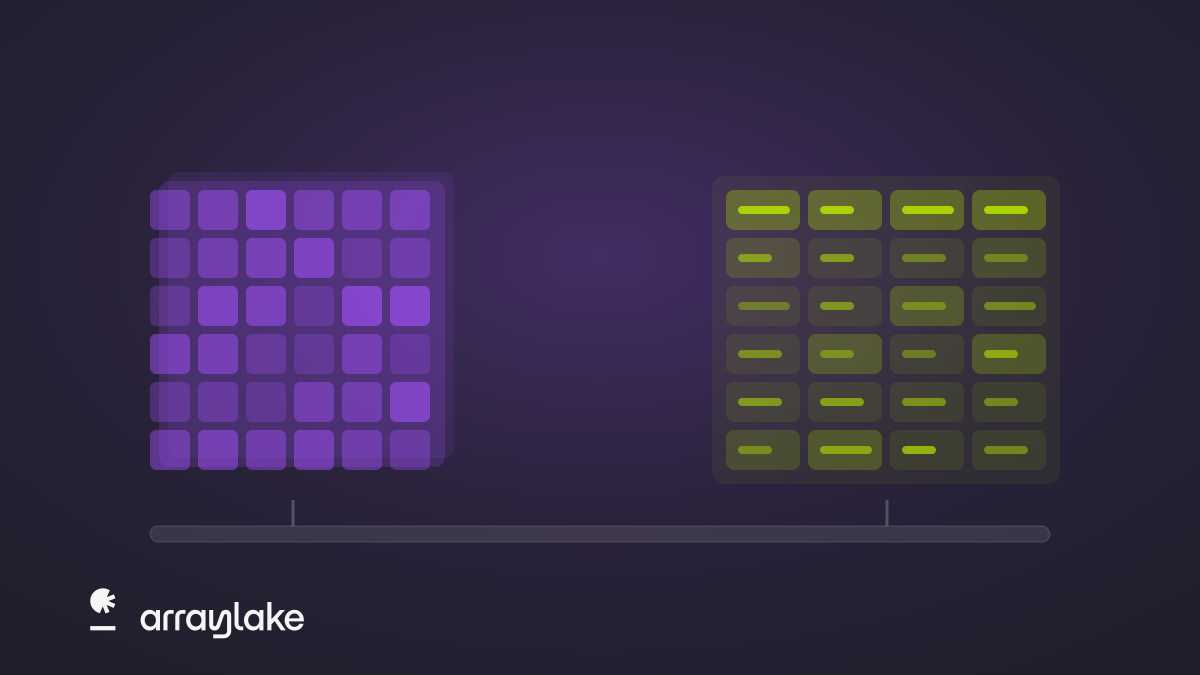
First, observational and simulated data—such as satellite imagery, sensor networks, and climate models—arrive as multidimensional arrays (or tensors). The array data model efficiently handles these dense grids across dimensions like latitude, longitude, altitude, and time. Flattening this kind of data into rows degrades both performance and usability, a challenge we detailed in Tensors vs. Tables.
However, scientific data is equally operationalized as tables. Station observations, balloon or drone soundings, asset registries, event catalogs, training labels, and derived products require a relational format. For example, Brightband’s NNJA-AI rebuilds NOAA’s observation archive as Hive-partitioned Parquet because individual observations are best represented as records. Similarly, many energy sector users compute AI weather forecasts as tensors but deliver the results into Snowflake to integrate directly with tabular risk and trading applications.
Rather than forcing one format to serve both purposes—flattening arrays into inefficient tables or embedding tables into opaque array formats—Arraylake now provides the right model for each workload, unified under a single catalog, identity provider, and governance framework.
Designing for the Workload
Icechunk was originally inspired by Apache Iceberg. When we designed transactional guarantees for Zarr, Iceberg provided the reference architecture for immutable object storage, explicit manifest tracking, staged snapshots, and atomic commits. We have detailed these shared concepts in the Icechunk FAQ since launch.
However, a key architectural divergence explains why we maintain two distinct formats. Iceberg relies on a catalog in the commit path to guarantee atomic operations. Icechunk, by contrast, relies on the strong consistency guarantees of modern object stores. This design choice is workload-driven: a single Icechunk write operation can generate thousands of chunks from highly distributed writers. Requiring all writers to coordinate through a central catalog service would create a severe bottleneck for array workloads.
Ultimately, arrays and tables require different storage strategies. By integrating Iceberg directly into Arraylake, we are embracing the industry standard for transactional tables while continuing to advance Icechunk for cloud-native arrays.
How It Works
Arraylake is our multi-cloud data catalog: it tracks what data an organization holds, governs who may access it, and maps each dataset to the bucket where it physically lives. Iceberg tables now register in that same catalog as first-class citizens, inheriting the governance, storage configuration, and identity model already established for Icechunk repositories.
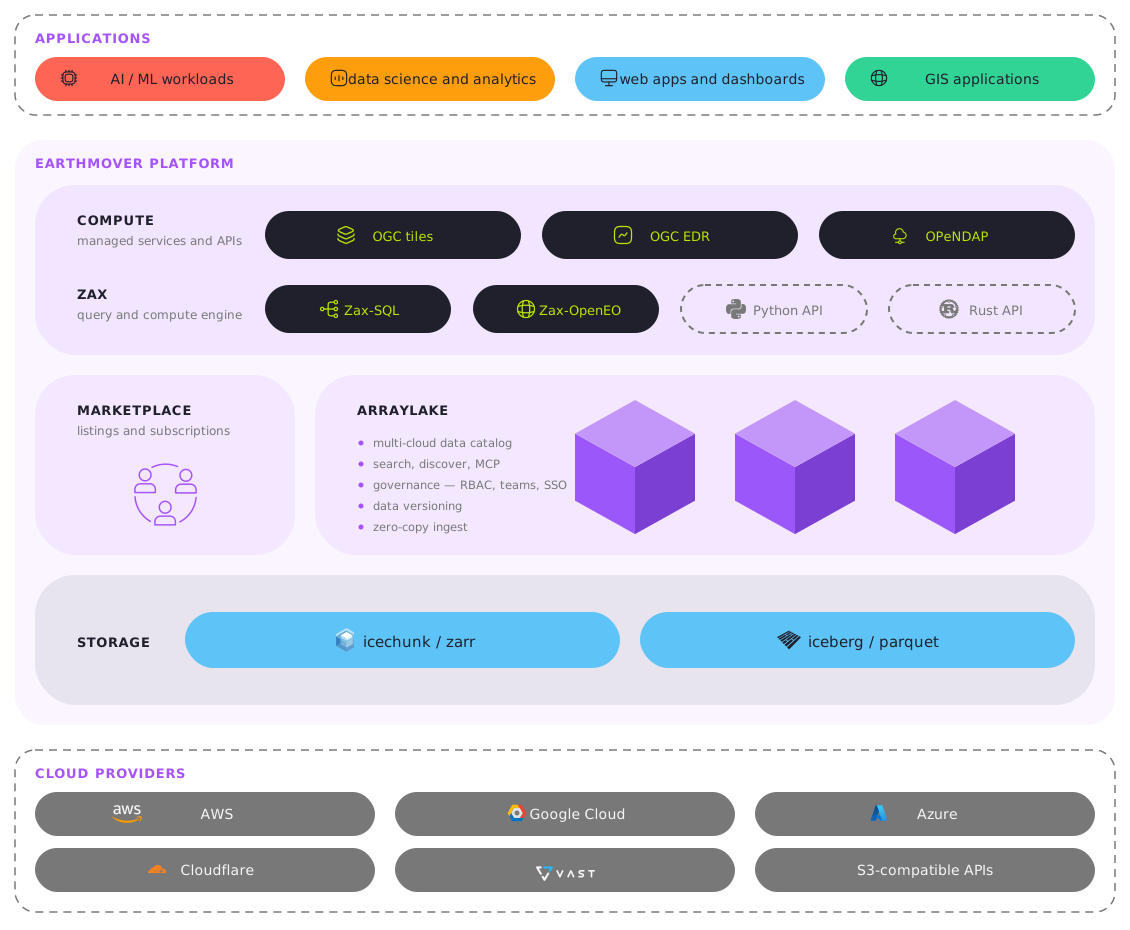
Arraylake implements the Iceberg REST Catalog specification directly at https://api.earthmover.io/iceberg. The mapping is straightforward:
| Iceberg Concept | Arraylake Equivalent |
|---|---|
| Warehouse | Your organization |
| Namespace | An Iceberg namespace, bound to a bucket config |
| Table | <namespace>.<table> |
Core Iceberg features in Arraylake:
- Vended Credentials: Instead of distributing static cloud keys, Arraylake handles credential vending securely. An engine authenticates using an Arraylake bearer token and requests delegation via the
X-Iceberg-Access-Delegationheader. Arraylake responds with temporary, hour-long storage credentials scoped strictly to the requested table locations. This extends Arraylake’s existing governance model directly to Iceberg tables. - Unified Access Control: Manage permissions at the namespace or table level using your organization’s existing teams and roles.
- Bring Your Own Storage: Namespaces and individual tables can map to different bucket configurations, allowing you to put individual tables in the storage bucket that makes sense for your use case.
- Atomic Commits & Recovery: Concurrent-writer safety with automatic conflict resolution, plus soft deletes with a seven-day recovery window.
- Geospatial Support: Geometries are currently implemented as WKB columns with a bounding-box covering struct, following the GeoParquet pattern. This provides spatial pushdown via Iceberg’s column statistics and is immediately compatible with GeoPandas, DuckDB’s spatial extension, Sedona, and Trino. We will adopt Iceberg v3’s native
geometryandgeographytypes once ecosystem write support matures. (Details in the geospatial docs).
Beta limitations: Garbage collection (reclaiming dropped table storage), format v2 only, nested namespaces, views, multi-table transactions, cross-namespace renames, and Azure storage support are not yet available. Namespaces are currently flat, so we recommend using multiple namespaces rather than nesting. Please avoid dots in namespace names (use hyphens or underscores instead).
Seamless Engine Integration
Creating a table requires just a few lines of Python:
from arraylake import Client

client = Client()
client.create_iceberg_namespace("my-org", "my-tables", bucket_config_nickname="my-bucket")

catalog = client.get_iceberg("my-org")
table = catalog.create_table("my-tables.observations", schema=data.schema)
table.append(data)
Reading the data relies on your existing tooling. For example, using DuckDB:
INSTALL iceberg;
LOAD iceberg;
CREATE SECRET al (
    TYPE ICEBERG,
    TOKEN 'ema_...',
    ENDPOINT 'https://api.earthmover.io/iceberg');
ATTACH 'my-org' AS warehouse (TYPE iceberg, SECRET al);

SELECT station, avg(temp_c) AS mean_temp
FROM warehouse."my-tables".observations
GROUP BY station
ORDER BY mean_temp DESC;
Standard configuration works for PyIceberg, Spark, Polars, and pandas (detailed in our engines guide). Furthermore, any system that supports the REST catalog with a static bearer token is compatible, including Trino, Snowflake, ClickHouse, and StarRocks.
Bridging Tensors and Tables with Zax-SQL
Last week, we introduced Zax—our new compute engine for multidimensional data—alongside its initial interface, Zax-SQL. Zax-SQL maps the tensor data model to relational semantics, pushing filters down into multidimensional space to execute targeted reads rather than scanning massive datasets.
Iceberg allows users to seamlessly capture the output of these operations. Zax-SQL natively reads and writes Iceberg tables, meaning tensor query results can land directly in a table format ready for downstream systems:
CREATE TABLE zax_sql_demo.gfs_nyc_latest AS
SELECT
    init_time,
    valid_time,
    lead_time / 3600 AS lead_hours,
    latitude,
    longitude,
    temperature_2m,
    relative_humidity_2m,
    wind_u_10m,
    wind_v_10m,
    precipitation_surface
FROM "dynamical-gfs".root
WHERE
    init_time = TIMESTAMP '2026-09-17 12:00:00'
    AND latitude BETWEEN 40.5 AND 41.0
    AND longitude BETWEEN -74.25 AND -73.75;
This single statement extracts a subset of a GFS forecast from an Icechunk repository and writes it out as an Iceberg table. Once materialized, the data can be queried via DuckDB on your laptop, joined with business data in Snowflake, or visualized in standard dashboards.
You can also compare station readings in an Iceberg table with the GFS forecast in an Icechunk repository. Assuming each observation has a timestamp and station coordinates:
SELECT
    o.station,
    o.temp_c AS observed_c,
    g.temperature_2m AS forecast_c
FROM "my-tables".observations AS o
INNER JOIN "dynamical-gfs".root AS g
    ON
        o.observed_at = g.valid_time
        AND g.latitude = ROUND(o.latitude * 4.0) / 4.0
        AND g.longitude = ROUND(o.longitude * 4.0) / 4.0
WHERE
    g.init_time = TIMESTAMP '2026-09-17 12:00:00'
    AND g.valid_time = TIMESTAMP '2026-09-17 18:00:00'
    AND g.latitude BETWEEN 40.5 AND 41.0
    AND g.longitude BETWEEN -74.25 AND -73.75;
Get Started
Earthmover’s core mission is to provide cloud-native infrastructure that accelerates scientific data in its natural forms. With Arraylake’s unified catalog, you can now manage both tables and tensors seamlessly in one platform.
CTO & Co-founder
Staff Engineer