Ditch the Data Pipeline: A Snow Alert Bot in an Afternoon

Xarray Community Developer

Staff Engineer
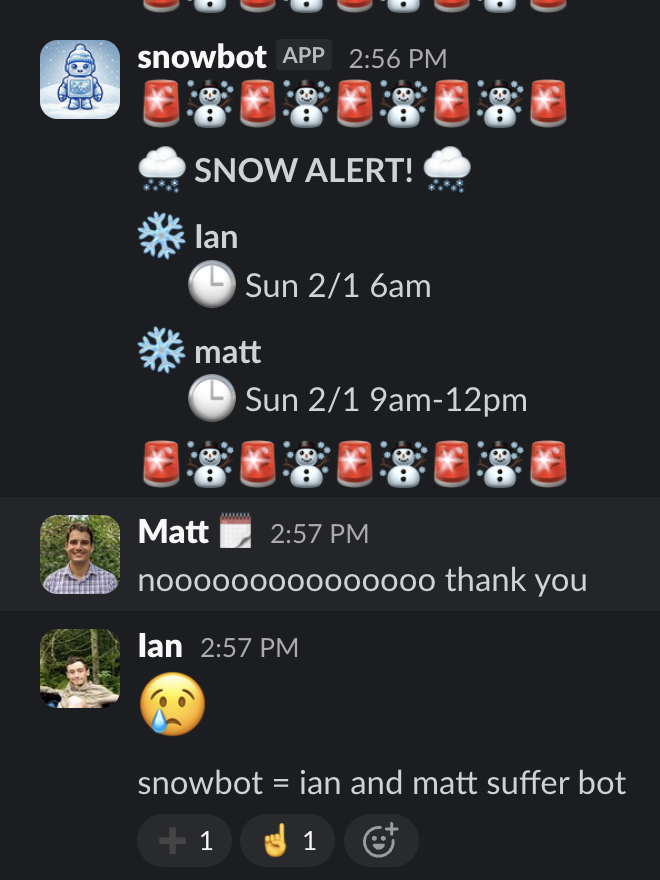
As a distributed team (of weather and climate geeks), we love finding ways to connect. So when a nationwide winter storm rolled through, we thought it would be fun to set up a Slack channel that tells us who it’s snowing for right now.
Here’s how we built that in a single afternoon — without the pain of setting up a data pipeline — to get fun alerts like this:
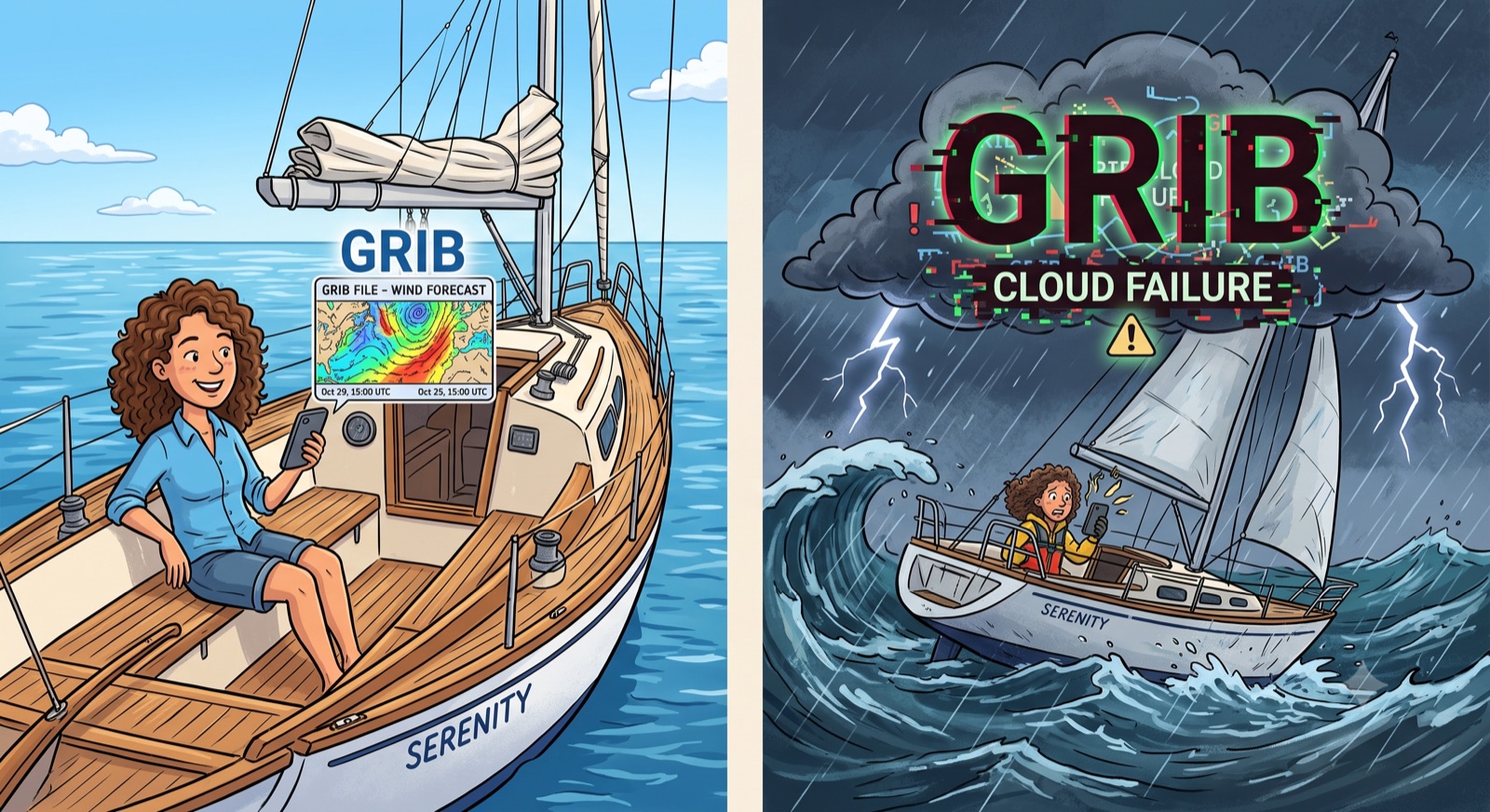
The best real-time weather data available is NOAA’s HRRR (High-Resolution Rapid Refresh) model — a 3km-resolution, hourly-updated forecast covering the continental US with 48-hour lead times. It’s incredibly powerful data, but it comes in GRIB2 format: a dense, binary format designed for meteorologists, not application developers. To use it, we’d need to:
- Regularly poll for and download new HRRR GRIB files (published every hour)
- Process and decode them into a usable format
- Handle backfilling, updates, and out-of-order data
- Extract the specific fields we need (in our case,
categorical_snow_surface)
Building and maintaining a robust pipeline for this is complex, and not unique. Everyone who wants weather data in their app ends up writing and maintaining essentially the same ingestion pipeline.
So instead, we used Earthmover’s Marketplace and Flux engine which already solve all of the hard parts for us.
Step 1: Subscribe to Weather Data on Marketplace
Data providers like Dynamical.org have already done the hard work of building robust pipelines to convert HRRR GRIBs into the open-source Icechunk format — a transactional storage engine for Zarr, the cloud-optimized format for multidimensional arrays. They make this available (for free!) with a single click on the Earthmover Marketplace.
All we had to do was find the HRRR listing on the Marketplace, hit Subscribe, and immediately got a live repository in our own organization.
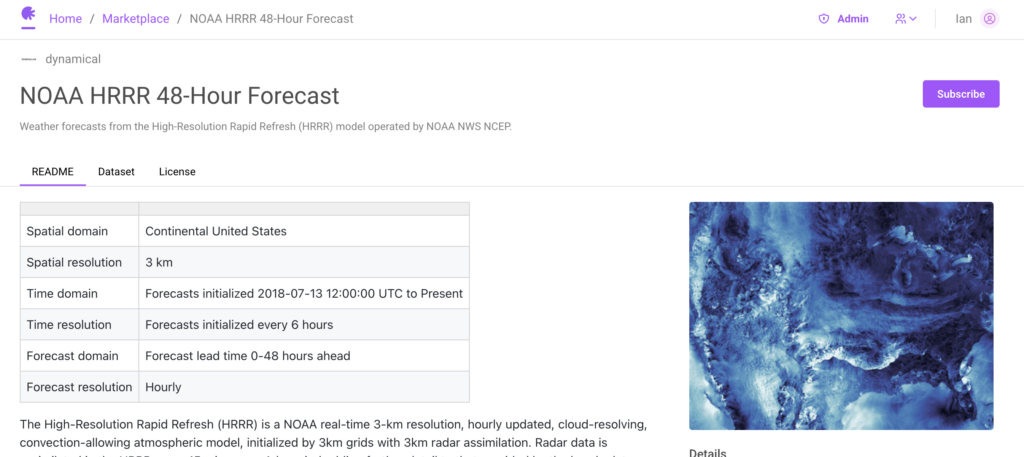
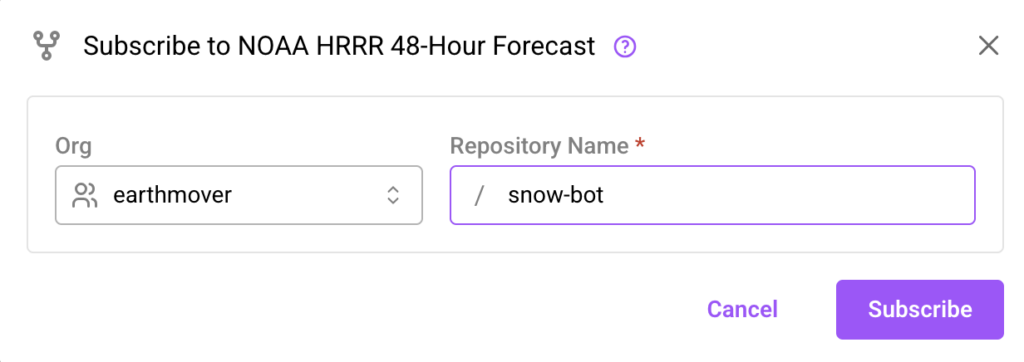
That’s it — as soon as Dynamical publishes new forecast data, it’s available in our repo.
Step 2: But How Do We Know When New Data Arrives?
Our Marketplace repo updates every time Dynamical publishes a new HRRR forecast. But a snow alert bot isn’t useful if we have to manually check for updates. We need our code to run automatically whenever fresh data lands.
We could set up a cron job to poll on a schedule, but that means either checking too often (wasting resources) or not often enough (missing updates). And it’s yet another piece of infrastructure to manage.
Earthmover solves this with webhooks. Any repository can be configured to fire an HTTP POST whenever its data changes. We pointed ours at a lightweight Cloudflare Worker — a serverless function that spins up on demand. No servers to manage, no polling, no cron jobs. When new HRRR data arrives, our worker wakes up automatically.
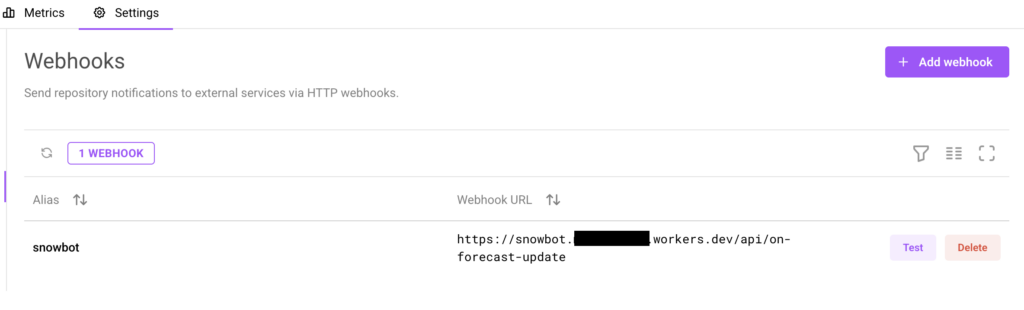
Step 3: Now Do We Have to Parse Raw Arrays? No — EDR.
We have live weather data and an automatic trigger. Now we need to actually ask the data a question: is it going to snow for any of our team members?
We could write this from scratch — figuring out the right array indices for each team member’s coordinates, handling coordinate reference system transforms, navigating the time dimension, and parsing the raw weather values. It’s doable, but it’s fiddly, and has nothing to do with the question we’re actually trying to answer.
This is where Flux comes in. Flux sits on top of our data and serves it through standard geospatial APIs. Instead of writing array-slicing and coordinate-wrangling code, we just make an API call using a protocol that already handles all of that.
We chose EDR (OGC Environmental Data Retrieval) — a standard designed for exactly this use case: querying environmental data by location and time. EDR abstracts all that coordinate-to-index math into a single HTTP request.
Here’s the entire flow when our webhook fires:
- Fetch all team member locations from our KV store
- Get the latest forecast initialization time from the EDR metadata endpoint
- Build a
MULTIPOINTquery for all locations at once - Query the EDR position endpoint for
categorical_snow_surface - Parse the CovJSON response to find who has snow in their forecast
- If anyone has snow — post an alert to Slack
The EDR query itself is just a parameterized HTTP fetch:
// src/edr.ts — querying the EDR position endpoint
const params = new URLSearchParams({
  f: "cf_covjson",
  "parameter-name": "categorical_snow_surface",
  crs: "EPSG:4326",
  method: "nearest",
  init_time: initTime,
  coords: coords,
});

const url = `${EDR_BASE_URL}/position?${params.toString()}`;

const response = await fetch(url, {
  headers: {
    Authorization: `Bearer ${fluxToken}`,
  },
});
And posting the result to Slack is just as simple:
// src/slack.ts — posting the snow alert to Slack
const response = await fetch("https://slack.com/api/chat.postMessage", {
  method: "POST",
  headers: {
    Authorization: `Bearer ${slackToken}`,
    "Content-Type": "application/json",
  },
  body: JSON.stringify({
    channel,
    text,
    mrkdwn: true,
  }),
});
That’s it. No array manipulation, no coordinate math, no GRIB decoding. Flux and EDR handle the hard parts; our code just makes HTTP requests.
The Result
Here’s the full architecture:
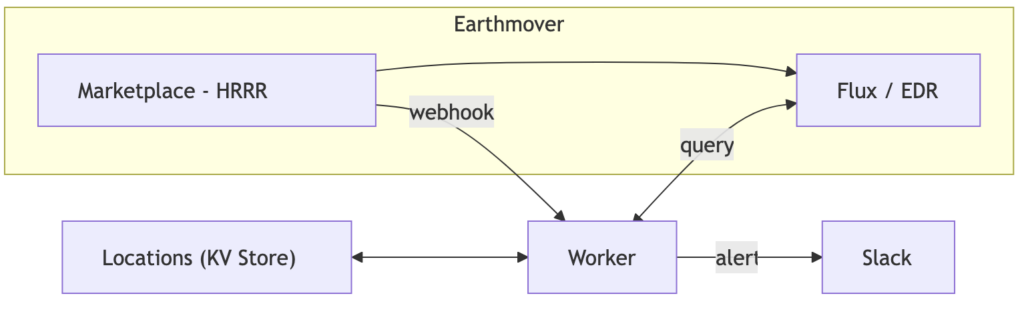
Our entire worker is about 200 lines of TypeScript. We didn’t write a single line of data pipeline code.
In fact, the most time-consuming part of the project wasn’t processing weather data. It was getting all of our Slack bot commands (/snowbot add, /snowbot list, /snowbot map) to behave exactly the way we wanted.
The whole thing took an afternoon and has been running without a hiccup for weeks.
Now we all get to share in the suffering of our New England team members, who really need a break from shoveling.
Of course a fun snow alert bot is only one of the things you can build with all the datasets on the marketplace. You could build a SurfBot, or SunBot, or something more serious like a trading bot or a hazard prediction bot. Check out our full source code on source on GitHub — and check out the Marketplace to see what else you could build on.
Xarray Community Developer
Staff Engineer